
Search button
  • About McMaster
    • Home
    • News
    • Research & Innovation
    • Giving to McMaster
    • Working at McMaster
  • Study
    • Undergraduate Programs
    • Graduate Programs
    • Continuing Education
    • Admission Requirements
  • Visit
    • Tours
    • Campus Maps
    • Campus Safety Services
    • Events
  • Connect
    • University Directories
    • Media Inquiries
    • Research Centres & Institutes
    • McMaster Global
    • Alumni

Student Support

  • Campus Safety Services
  • Equity & Inclusion Office
  • IT Support
  • Office of the Registrar
  • Ombuds Office
  • School of Graduate Studies
  • Student Wellness Centre
  • Student Affairs

Tools

  • Academic Calendars
  • Avenue to Learn
  • Campus Maps
  • Faculty and Staff Directory
  • Find an Expert
  • Microsoft Office 365
  • Mosaic
  • Safety App

Faculties

  • DeGroote School of Business
  • Engineering
  • Health Sciences
  • Humanities
  • Science
  • Social Sciences

On Campus

  • Athletics & Recreation
  • Campus Store
  • Housing & Conference Services
  • Hospitality Services
  • Libraries
  • Student Success Centre
McMaster University McMaster logo

Graduate Studies

  • Home
  • About
    • Meet the Vice-Provost and Dean
    • SGS Contacts
    • Program Contacts
    • Graduate Council
    • Strategic Plan
  • Future Students
    • Overview
    • Programs
    • How to Apply
    • Tuition, Fees and Scholarships
    • Visiting and Exchange Students
  • Accepted My Offer
    • Overview
    • Graduate Student Orientation Hub
    • Notes for successful applicants
    • How to Enrol
    • Fees and Payment
    • Registrar Services
    • Dates and Deadlines
  • Current Students
    • Overview
    • Graduate Community Resources
    • Completing your degree
    • Scholarships
    • Fees and Payment
    • Visiting and Exchange Students
    • Forms and policies
    • Registrar Services
    • Dates and Deadlines
  • Postdocs
  • News & Events
  • Apply Now
  1. Home
  2. Finding your tax slips: A quick “slip list” for grad students

Finding your tax slips: A quick “slip list” for grad students

""
Posted on February 28, 2020
Twitter Facebook LinkedIn

What is a T2202A?

A T2202A is a Tuition and Enrolment Certificate that shows total payments of tuition and number of months enrolled per term for a calendar year, from January to December.

Where do I find my T2202A?

Only available in Mosaic Student Centre.

  1. Log in to Mosaic using your Mac ID and password.
  2. Select “Student Center.”
  3. Click on “Other Financial” drop-down list under “Finance,” select “View/Print Tax Forms” and click on the blue circle with two arrows.
  4. Select the “Tax Form” and “Calendar Year” you want, and hit “View.”
  5. Follow directions.

What is a T4A?

A T4A is a tax information slip that shows total payments of scholarships. There are two types of T4A’s at McMaster.

The first T4A is for bursaries, awards and prizes for a calendar year, from January to December. This T4A will NOT include research scholarships.

Where do I find my T4A that covers bursaries, awards and prizes?

This T4A is available only in the Mosaic Student Centre.

  1. Log in to Mosaic using your Mac ID and password.
  2. Select “Student Center.”
  3. Click on “Other Financial” drop-down list under “Finance,” select “View/Print Tax Forms” and click on the blue circle with two arrows.
  4. Select the “Tax Form” and “Calendar Year” you want, and hit “View.”
  5. Follow directions.

The second type of T4A shows total payments of research scholarships for a calendar year, from January to December.

Where do I find my T4A that shows my research scholarships?

This T4A is available only in the Mosaic Human Resources and only if you gave consent for electronic delivery.

To give your consent to access an electronic version of this T4A

  1. Log in to Mosaic.
  2. Select Main Menu.
  3. Select Human Resources.
  4. Select Self Service.
  5. Select Payroll and Compensation.
  6. Select T4/T4a Consent.
  7. Click the check box.
  8. Press the “Submit” button.

Once you have given consent, visit Human Resources for instructions on how to view your T4A.

What is a T4?

A T4 is tax information slip that shows total payment of employment income – teaching assistantship, RA in lieu of TA, sessional teaching, casual employment for a calendar year, from January to December.

Where do I find my T4?

The T4* is available only in the Mosaic Human Resources.

Visit Human Resources for instructions on how to view your T4.

* The T4 located in the Mosaic Human Resources will cover only employment income you received from McMaster. If you have a job or jobs external to the university, you will receive additional T4(s) from those employers.

If you’re not sure which slips you need, you can visit the different areas of Mosaic to see if a slip is available. But please remember, you won’t see a T4A for research scholarship unless you gave consent to receive that slip electronically.

 Student life

Related News

News Listing

A little girl stands at the top of Silver Peak during one of her first trips to Killarney Provincial Park with her grandparents.

Science grad lends her voice to grandparents’ Group of Seven adventure story

Community, Student life

April 29, 2024

A group of people in lab coats are looking at a computer monitor, while a person seated is speaking.

Daily News  ➚

A win for Canadian research: Ottawa boosts funding for graduate students, research grants

Postdoctoral, Research, Student life
April 19, 2024

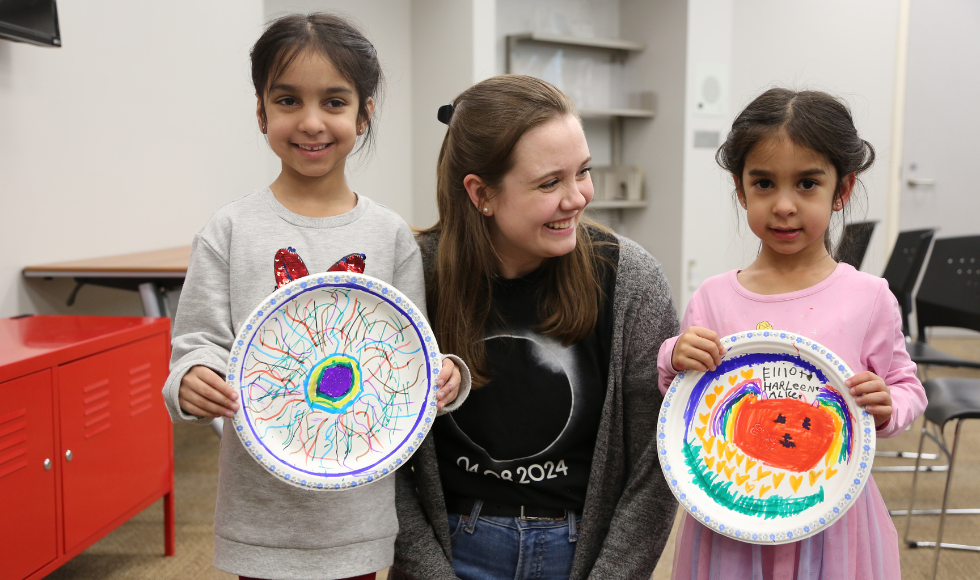
Nicole Mulyk is a member of the Department of Physics and Astronomy’s eclipse ambassador team that has reached thousands of community members through outreach and educational events in the lead-up to the total solar eclipse. (All photos by Jay Robb/McMaster University).

Eclipse ambassador brings science into the community

Research, Student life, Teaching, Volunteer

April 5, 2024

Graduate Studies

FacebookInstagramYoutube

Have a question?

Ask us through our live chat!

Monday to Friday
9 a.m. to 12 p.m

Our automated chat is available 24 hours a day, seven days a week!

Email us

If you have a question best answered through email:

Admissions-applicant technical issues
Petitions, grades and scheduling
Grad pay

Our location

The School of Graduate Studies
Gilmour Hall, Room 212
1280 Main Street West
Hamilton, Ontario, Canada  L8S 4L8

Website errors

Did you spot a typo? Is a link not working? Let us know using our online form.

Accessible content

McMaster University is committed to providing websites accessible to the widest possible audience. If you require any content on this website in an alternate format, please contact us using this alternate format request form. We will respond as promptly as possible.

If there is an AODA web accessibility issue with this website, please report it to Media Production Services using our AODA bug reporting form.

This website is powered by MacSites

McMaster logo
  • Contact
  • Terms & Conditions
  • Privacy Policy
  • 1280 Main Street West  Hamilton, Ontario  L8S 4L8
  • (905) 525-9140

© 2026 McMaster University